How To Label Digital Copies Of Undated Family Photos
A practical step-by-step guide to how to label digital copies of undated family photos, including preparation, instructions, common issues, tips, and next steps.
How To Label Digital Copies Of Undated Family Photos
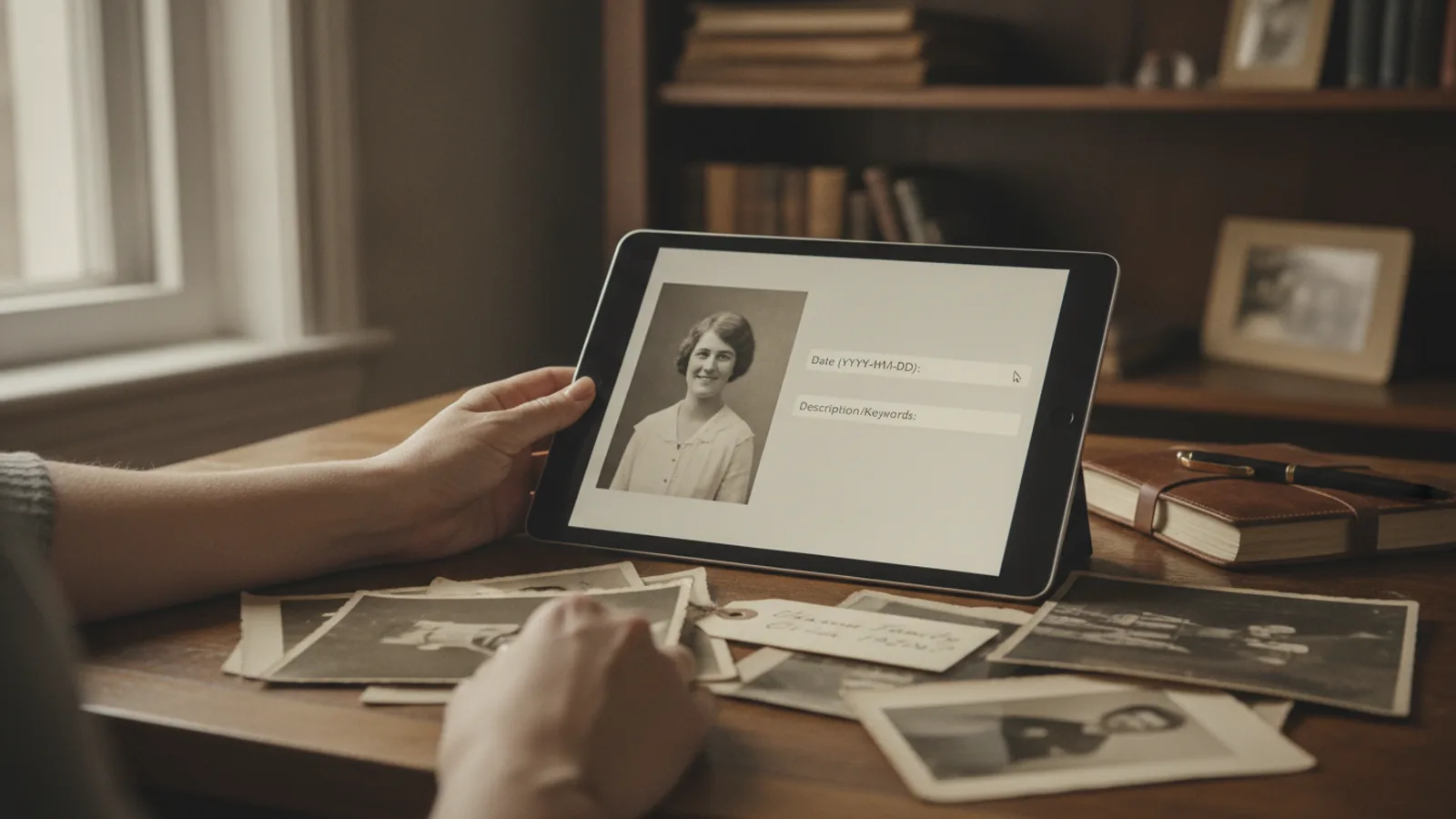
Labeling digital copies of undated family photos is a careful sorting and naming process that turns a confusing folder of scans into a collection anyone can understand. You begin by gathering the files, writing down every clue you already know, then building a clear naming pattern that leads with the date you can support, and finally adding context so future relatives can identify people, places, and events without guessing.
Fast Answer
- Sort the uncertain photos into small groups by source or event, write down every clue you already know, then name each file with the best supported date at the front, such as 1953-06-unknown, followed by people and place.
- Keep the original scan untouched, create a working copy for the label, and record your evidence in a simple companion note so later relatives can correct or extend your work without starting over.
Before You Start
- Gather all digital copies of the undated photos into one folder, including phone pictures of prints, scanner output, and files shared by relatives, before you rename anything.
- Write down every clue you already know, such as who owned the album, the town, the decade, and any event names, in a plain text note you can keep open while you work.
- Make a second working folder so the original scans stay untouched, because a label mistake is easy to fix on a copy but hard to undo on a scan you have already renamed.
- Decide on a simple naming pattern in advance, including how you will write unknown dates and unknown people, so your labels stay consistent across the whole collection.
Step-by-Step Instructions
Group the photos before renaming
Start by sorting the undated copies into small groups instead of renaming files one at a time in a random order. A useful group might be all photos from one album, one envelope, one relative who shared them, or one event such as a wedding or a holiday. Move each group into its own folder and give that folder a short plain name. This step comes first because a photo labeled beside its close relatives is much easier to date than the same photo seen alone. As a practical check, open each group and ask whether every photo in it truly belongs together; move out any file that looks unrelated. That check matters because one stray photo can pull your date guess in the wrong direction, and catching it now keeps the whole group accurate.
Write down the evidence you trust
Before you type a single label, open your notes and list every clue you already know for each group. Useful clues include the person who owned the album, the town shown in the background, the style of clothing, the season, a visible event, and the name of anyone who shared the file. Mark each clue as confirmed, likely, or only a guess, and write who told you. This step belongs here because a label should rest on evidence, not on a feeling that the photo looks old. As a practical check, read your evidence list back and remove any clue you cannot explain in one plain sentence. That check matters because a clue you cannot explain is easy to repeat as fact, and a wrong date spreads quickly once it sits in a file name.
Choose a date-first naming pattern
Build one clear naming pattern and use it for every file. A date-first pattern works well for undated photos because the date is the fact you most want to see. When you know the full date, write it as four digits for the year, two for the month, and two for the day. When you know only the year, write the year and then the word unknown in place of the month and day. When you know only a rough period, use a range such as 1950s. After the date, add the people and then the place. This order comes before any description because it keeps dates at the front where they sort naturally. As a practical check, name ten files and then list the folder by name to confirm they appear in the order you expect. That check matters because a pattern that does not sort well will hide photos you are trying to find.
Add people, place, and context
With the date settled, add the human details that make the photo useful. Write full names where you know them, and use a clear phrase such as unidentified woman when you do not. Add the place in a simple form, such as a town and region, and add the event when one is visible. Keep the label short enough to read at a glance, and move longer stories into your notes rather than the file name. This step follows the date because the date is the strongest search key, while names and places are the details you add once the file already sorts correctly. As a practical check, hand one labeled file to a relative and ask who, where, and when; if they cannot answer from the label alone, the label needs a small fix. That check matters because a label exists for other people as much as for you.
Record your reasoning in a companion note
A file name cannot hold the full story, so keep a simple companion note for each group or photo. In that note, record the evidence you used, the clues you rejected, the people who helped, and any open question. Give the note the same base name as the photo so the two stay linked, and store it beside the image. This step comes after naming because the note explains the choices you just made, and it is the place for uncertainty that would clutter a file name. As a practical check, read one note as if you were a stranger and ask whether the date choice is understandable from what is written. That check matters because future relatives may find better evidence, and your note tells them exactly what to revisit and why.
Review the whole set for consistency
Finish by reviewing the entire labeled set as one collection rather than as single files. Search for any file still using a camera default name, any label with a missing separator, and any date written in a different order from the rest. Check that each companion note sits beside its image and that every group has a clear folder name. This review belongs at the end because small differences are easy to miss while you are deep in one group, yet they cause real confusion once the set is large. As a practical check, pick five random files and confirm each one tells you the date, the people, and the place without opening the note. That check matters because the collection should make sense on its own, even years from now.
Quick Reference
| Situation | Action | Why it helps |
|---|---|---|
| You know the year but not the month or day | Name the file with the four digit year first, then the word unknown for the month and day, then the people and place. | A partial date in a fixed order still sorts correctly and clearly tells readers that the finer details are missing. |
| Two relatives give different dates for the same photo | Label the file with the date you can support best, write both claims in the companion note with each person's name, and mark the conflict as open. | Recording the disagreement keeps the label clean while preserving the evidence someone may later use to settle the date. |
| A photo shows no people and no known place | Use the source album or the person who shared it as the lead clue, name the file with the date you can defend, and label the image as location unknown. | Honest labels are more useful than confident guesses because they tell later readers exactly where the missing information lies. |
Common Issues
- Files keep camera default names such as a long number: Scan the folder for names that contain no letters or clear date, then rename those files using your chosen pattern, and list the folder by name to confirm each one now sorts into the right period.
- The date guess turns out to be wrong later: Change the working copy name and update the companion note with the new evidence and who supplied it, while leaving the original scan untouched so you always have a clean starting point.
- Labels become too long to read on a small screen: Move the story into the companion note and keep only the date, the main people, and the place in the file name, then test one label on a small screen to confirm it stays readable.
Advanced Tips
- Use one fixed separator and one fixed date order across the whole collection, because consistency is what lets a name sort, search, and group correctly years later.
- Keep a single index note that lists every group, its source, and its open questions, so a relative can review the collection without opening each file one by one.
- When two photos clearly come from the same sitting, give them the same date and add a short number at the end so they stay together when the folder is sorted.
- Store a small plain text file beside the photos that explains your naming pattern, so anyone who finds the folder later can add new photos the same way.
Final Checklist
- Every labeled file begins with the best date you can defend, written in the same order across the whole collection.
- Each original scan remains untouched, and all renaming happened only on the working copies you created.
- Every group has a companion note that names the evidence, the source, and any open question about the date.
- You have asked one other person to find a specific photo by name alone and corrected anything that confused them.
FAQ
What should I do when I truly cannot date a photo at all?
Give the file a label that honestly says the date is unknown, then add the source, such as the album or the person who shared it, followed by the people and place you can identify. This keeps the file sortable and searchable while making the missing date obvious to anyone who opens it later.
Should I rename the original scan or only the copy?
Rename only a working copy and leave the original scan exactly as it arrived. Your date estimate may change as you gather more evidence, and keeping the original untouched means you can always rebuild a clean labeled set without risking the only version of that scan you have.
How do I keep labels consistent when several people help?
Write your naming pattern in one short note, share that note with everyone helping, and ask each person to record their evidence beside the photos they label. Then review the whole set at the end and fix any date order or separator that does not match the shared pattern.